
Best Glitch Delay Plugins (That Actually Evolve Over Time)
Best Glitch Delay Plugins (That Actually Evolve, Not Just Repeat)
Most glitch delay plugins are built around repetition.Stutters. Loops. Predictable patterns.
The problem is, the most interesting glitch textures don’t come from repetition — they come from movement. Timing drift, evolving repeats, and subtle instability are what make a delay feel alive instead of programmed.
In this guide, we’ll break down the best glitch delay plugins that go beyond simple stutter effects and actually evolve over time.
What Is a Glitch Delay Plugin?
A glitch delay plugin doesn’t just repeat audio — it breaks, reshapes, and reorders it. Instead of clean echoes, you get:
stutters
pitch shifts
micro-loops
unpredictable timing
The best glitch delay plugins don’t just repeat — they evolve.
What Makes a Glitch Delay Plugin Different?
A standard delay repeats audio the same way every time. A glitch delay introduces variation:
Unpredictable timing
Changing pitch
Evolving feedback patterns
Non-repeating behavior
That’s the difference between a loop and a texture.
Most glitch delays rely on randomness.
The difference is whether that randomness feels musical — or just chaotic.
Best Glitch Delay Plugins:
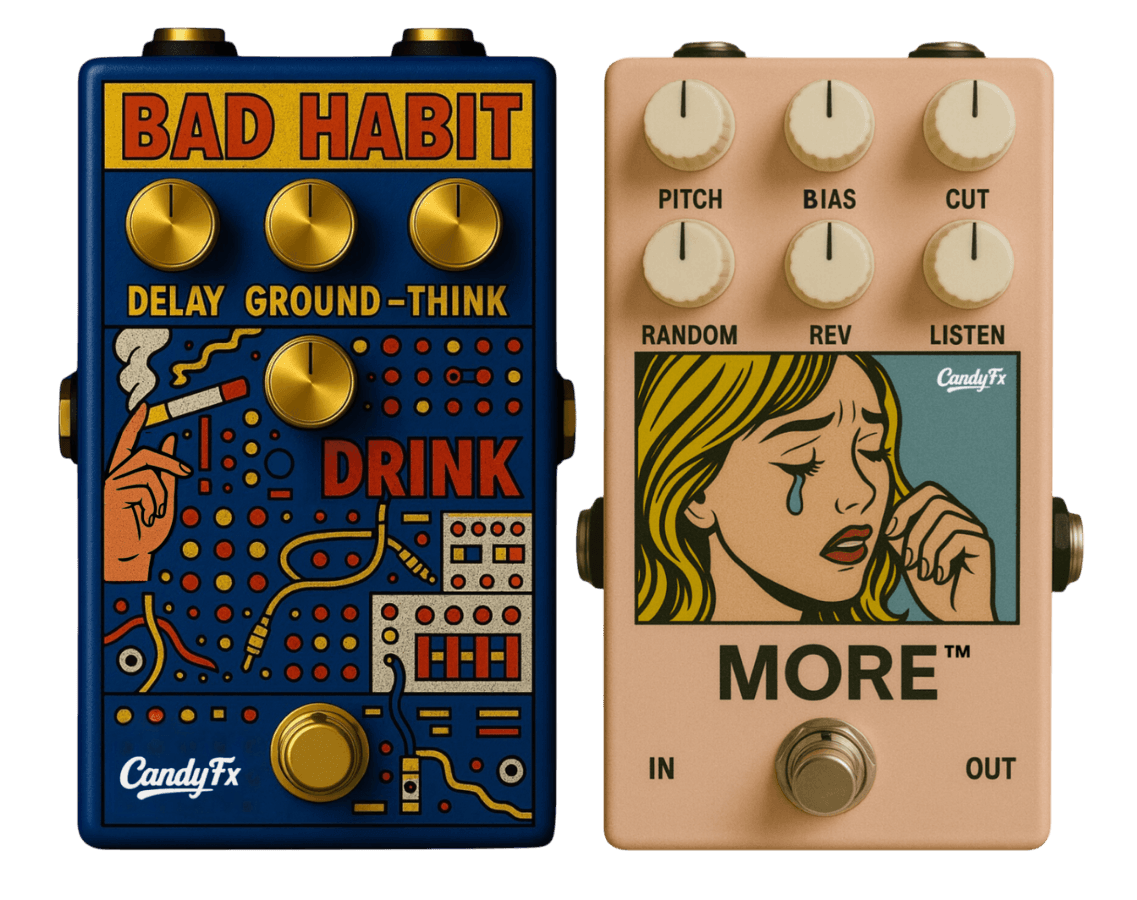
1. CandyFX Bad Habit + MORE — Evolving Glitch Engine
Bad Habit + MORE = evolving glitch delay engine
Most delay plugins repeat. Bad Habit reacts.It introduces timing drift, pitch variation, and constantly shifting delay patterns that don’t loop the same way twice.When paired with MORE, the behavior becomes even less predictable:
Repeats evolve instead of loop
Playback changes over time
Textures feel alive instead of programmed
Best setup: place Bad Habit on a return track, add MORE after it, and automate the send amount for evolving glitch textures.
2. Output Portal — Granular Delay Textures
Portal breaks audio into fragments and reshapes them into ambient, glitchy textures.
Granular processing
Pitch shifting
Time stretching
Best for: controlled glitch and atmospheric delay effects
3. Glitchmachines Fracture — Free Glitch Delay Tool
A free plugin focused on stuttered, fragmented delay effects.
Buffer manipulation
Randomized playback
Digital glitch textures
Best for: aggressive and experimental glitch sounds
4. Ableton Grain Delay — Built-In Glitch Tool
Ableton’s Grain Delay can create pitch-shifted and unstable delay textures when pushed beyond subtle settings.
Pitch-based delay
Time diffusion
Organic instability
Best for: quick glitch textures inside Ableton
Why Most Glitch Delay Plugins Fall Short
Most glitch delay plugins rely on repeating patterns.But real glitch texture comes from:
Variation
Instability
Movement over time
Without that, you’re just getting a stutter effect — not something that evolves.
If you're exploring more experimental tools, check out our breakdown of weird audio plugins.
Final Thoughts
If your delay sounds repetitive, the issue isn’t your settings — it’s the tool.
The best glitch delay plugins don’t just repeat audio — they transform it over time.
If you're trying to recreate pedal-style movement, see our guide on plugins like Chase Bliss Habit.
If you want glitch delay that evolves instead of repeating the same pattern, Bad Habit paired with MORE gives you that movement inside your DAW.
FAQ
What is a glitch delay plugin?
A glitch delay plugin goes beyond simple echoes by introducing stutters, pitch shifts, and timing variations to create evolving, unpredictable textures.
What’s the difference between a delay and a glitch delay?
A standard delay repeats sound the same way each time, while a glitch delay changes those repeats so the result feels more dynamic and less predictable.
What is the best glitch delay plugin?
The best option depends on your goal, but plugins that create movement and variation—rather than simple loops—tend to sound more natural and “alive.”
→ Get access to CandyFX plugins
Related Guides: